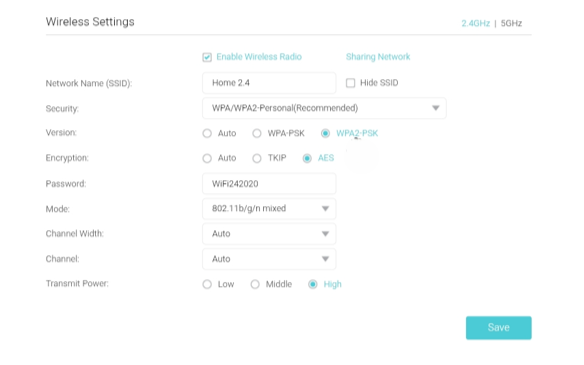
Everyone recommends changing channels if your Wi-Fi is slow, but when you go into the settings, it’s a forest of terms: channel width, 2.4 GHz, 5 GHz, transmitter power… It’s overwhelming, and you don’t want to just poke around, lest you make things worse.
For a beginner, it’s a real mystery. How do you even know which channel is the right one?
First off, don’t just tweak the settings randomly and choose the first channel you see just because it seems “clear.” On the 2.4 GHz band, the rule is simple: choose only 1, 6, or 11. These are the classic channels that don’t interfere with each other. If you choose something “exotic” like 3 or 4, you’ll likely only create unnecessary interference for yourself and your neighbors.
You need to check what channels your neighbors are on. Otherwise, it’s like rearranging furniture in the dark — you’re doing something, but the results are unpredictable. A Wi-Fi analyzer (like NetSpot) can be very helpful here. Just run it, see how your neighbors’ networks overlap, and choose the “lesser of two evils” instead of guessing.
@Prize-Marsupial-9 Okay, dumb question then — if I open something like NetSpot and it shows a bunch of networks all over the place, what am I actually looking for?
This isn’t a stupid question; many people get confused here.If you’re lucky and one of the standard channels (1, 6, or 11) is free, feel free to choose it. But if everything is clogged, oddly enough, it’s better to “hop on” the same channel as your neighbors than to squeeze in between them. It sounds crazy, but when networks are on the same channel, they at least “see” each other and can negotiate their turn. If you’re positioned crookedly (with partial overlap), you’ll simply overwhelm each other with interference. By the way, the NetSpot Android app has a “Best Channels” feature in the “Channels” tab that will automatically highlight the best option.