Hey guys! Every evening around 6 PM, my Wi-Fi freezes completely. Everything works fine during the day, and my smartphones seem to have no issues in the evening.
My apartment is small, so distance isn’t an issue. The number of gadgets online is the same during the day and evening. I don’t want to buy new hardware yet; I’m looking for free solutions first.
Where should I even start?
I’d first look for interference. Since the airwaves drop at exactly this time, I’m guessing the neighbors are just returning from work. Everyone turns on their routers, TVs, and microwaves at the same time, clogging up the channels. Even if nothing has changed in your home, at that moment, there’s a terrible radio noise all around.
Install a free network scanner like NetSpot or WiFiman on your smartphone. Log in during these peak hours and check the channel chart. You’ll immediately see how clogged everything is with neighboring networks.
@FigureOute_next I downloaded one on my phone, what should I watch?
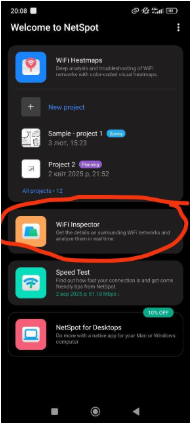
Use NetSpot for Android and open Inspector mode. Look at the Comparison tab. If you suddenly see a bunch of strong neighboring networks piling onto the same or overlapping channels, that’s your clue. Also, NetSpot has channel recommendations there, so you don’t have to guess which one looks better. Then you’d go into your router settings and switch to a cleaner channel.
The difference between gadgets here is quite logical. Smartphones’ network chips are usually more responsive: they adapt better to poor signal strength and are more aggressive in securing the network. But TVs and mid-range laptops often contain budget irons, which fail at the first sign of interference. So, relying on phones for Wi-Fi health is definitely not a good idea.
Could still be channels though. Especially if it happens at the same time every evening. I’d check 2.4 GHz first, because that band gets ugly fast in apartments. If your router supports 5 GHz, try forcing the laptops/TV onto that and see whether the evening pain gets better.
And don’t laugh, but weird interference sources are real too. I’ve seen bad lighting, old electronics, even dumb little household stuff wreck 2.4 GHz enough to make people think their ISP was dying.
Okay, this actually gives me a direction. I’ll check the channels again tonight when it starts happening and see if I can move things off the crowded ones.